Welcome to the news section!
Here you will find all the news related to ATRIL and the translation market.
An in-house or a freelance translator: which is better?
Are you considering if it’s better to work as an in-house or a freelance translator? The form of employment is very crucial, so when weighing the decision be sure you’re taking into account your individual predispositions and preferences. There are people out there who especially value the freedom associated with self-employment and wouldn’t trade it for the world. For others, it’s the stable work environment and payroll that work as a magnet, making them seek employment as in-house translators.
And, according to numbers, they are 75% of the population! On the other hand, isn’t the prospect of becoming your own boss or ability to work from home tempting enough to give it a go?
An in-house or a freelance translator?
Worrying about new clients.
As an in-house translator, you’ve got people to do it for you – or to be precise, your colleagues from advertising and marketing departments. Unlike freelancers, it’s enough if you’re just good at translating, you don’t need to think twice about any intrapersonal skills. All you’ve got to do is be good at your job and deliver your work on time. Freelancers, on the other hand, need to know a little bit about everything : advertising, marketing, psychology and sometimes accounting too. Some people may not be fit for working as a freelancer as they may lack the ability to push themselves forward.
Client relationship.
In-house translators don’t have to waste their time building a relationship with a client. Retaining clients, keeping up with competitors or negotiating terms of your agreement can take much of your time and effort. The time you could spend doing what you do best – translating. On the other hand, for a freelancer, it can be a worthy investment. If you manage to land a recurring client who is satisfied with your services, is there anything more you could wish for, except for more such clients?
Money and perks.
Fixed income, paid sick leaves and vacation, insurance and other perks. such as computers and necessary software, are difficult to underrate. You don’t even have to worry about electricity, internet bills or paying the office rent. Once again, all you have to do, is to do your job. Freelancers usually need to take care of all of the above themselves.
Flexibility.
When it comes to working hours, in-house translators often have to grin and bear it. If working on a set schedule is something you find particularly challenging, perhaps you should think about going freelance? You’d be able to sleep in and take as many breaks as you need, as long as you can keep the deadline. You will never lose your temper when stuck in a traffic jam while commuting to work. And hardly anything can top the comfort of completing a project in your pyjamas. 🙂
Who’s making decisions?
Unless in financial trouble, a freelancer can be more picky when it comes to accepting jobs. You can take the most profitable, the easiest or the most interesting
ones. It's you who sets the criteria and conditions. Conversely, employed translators hardly ever have a say in which project they will eventually take on. So if it's your
freedom and authonomy you value the most, it may turn out the "in-house or a freelance translator" dilemma is not really a dilemma at all.
Touch-typing: what are the benefits for a translator?
Touch-typing is a greatly appreciated skill, especially in workers who spend a considerable amount of time in front of a computer screen. It makes it possible to focus on the text we’re working on, without having to concentrate on the act of typing itself. It’s highly desired among many professionals, like developers, data analysts, accountants and other kind of office workers. Translators too can benefit greatly from learning how to touch type and boost their productivity.

What are the benefits of touch-typing?
-
It’s a real time-saver
The most obvious benefits of touch-typing are speed and time-saving, and, as a result, increased productivity. On average, the typing speed when using just two fingers is between 30-40 words per minute. Learning to type with all the fingers and without looking at the keyboard, can help you double this rate. While it may not seem like much, this can make a huge difference with longer documents. Don’t let hunting and pecking slow you down!
-
Greater accuracy
Typing with just two fingers is not only slower, but often also less accurate. It’s because you need to constantly look on the keyboard and take your eyes off the screen far more often. As a result, you’re less likely to notice errors and typos. This, in turn, means more time devoted to proof-reading and editing, and might eventually have a negative effect on the quality of your work. By comparison, touch-typists can read the text while typing in, and correct any mistakes as they appear on the screen.
-
It promotes correct posture
While, it may not be the first advantage that comes to mind, mastering touch-typing can be good for your health and posture. First of all, you don’t have to hunch over the keyboard while looking for a particular key. What’s more, typing with all your 10 fingers can actually lower the risk of developing a repetitive strain injury. Since touch-typing increases both the speed and accuracy, it may, as a result shorten the time you spend in front of the screen. Less time spend working on your computer also reduces the risk of back pain or computer eye strain.
-
Helps you focus on what’s more important
A professional translator should first of all focus on the adequate content and grammatical correctness of the document. Being a touch-typing master can give you a real heads-up, as you won’t have to concentrate on the act of typing itself. When typing becomes more automatic, it is easier to focus on both source and target texts.
Is touch-typing difficult to master?
There’s no way to answer this question with a simple ‘yes’ or ‘no’. It depends on various aspects, like how much time you generally spend working on a computer, the type of keyboard you use, or your individual predisposition. It may appear paradoxical, but heavy computer users might sometimes find it more difficult to master the skill. That’s because they might have already picked up some bad typing habits. It often turns out, that those who are just beginning to learn to touch type, have it easier.
There are numerous websites, apps or games that will help you get familiarized with the basic principles of touch-typing and help you acquire the skill. They provide adequade exercises, which, when performed systematically, will quickly help you improve your typing ability. If you are interested in other tricks to increase productivity, reads about those handy apps.
Computer eye strain and how to prevent it
Nowadays it’s difficult to imagine how our lives would be without computers. And that’s true of almost every profession, translators included. Without a doubt, they make things easier, but there is a price to pay. Spending long hours in front of a screen on a regular basis can take a toll on your health. Among the most common health related issues associated with heavy computer use is computer eye strain.
What is computer eye strain?
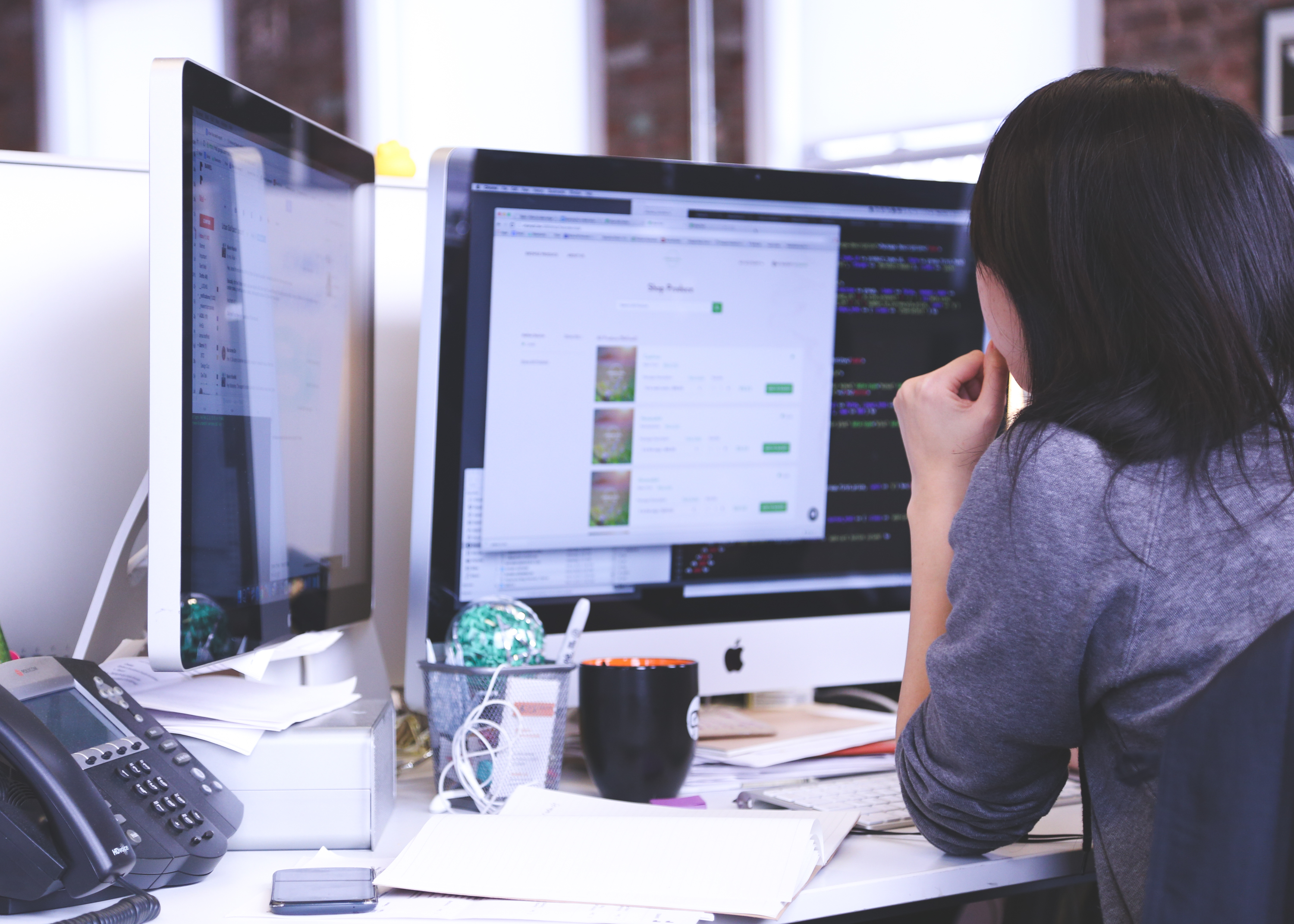
Looking at a monitor for a significant amount of time everyday can make you feel tired and cause vision issues. Watery, bloodshot eyes, blurred vision, tingling, headaches and the feeling of dry eyes are some of the most common symptoms related to computer eye strain. If you’ve noticed you experience some of them on a regular basis, you might be suffering from a condition called Computer Vision Syndrome (CVS). It is said to affect approximately 90% of people who sit for at least three hours in front of a monitor.
What causes the eye discomfort?
Normally, each of us blinks about 18 times a minute. This makes it possible to spreads the tears evenly all over the surface of the eyeball. Your eyes remain moist, clean and protected from damage. Looking at the screen, however, forces your eyes to focus all the time and reduces the blink rate to 25%. As a result, your eyes might be more prone to soreness, irritation and dryness. What’s more, eye muscles remain continuously flex, which also causes tiredness and requires greater effort than reading non-digital texts. What often makes matter worse is inadequate, or too bright lighting and inappropriately arranged workstation.
What to do to prevent it?
Fortunately, computer eye strain usually doesn’t lead to any serious damage. However, its effects can be upleasant, uncomfortable and negatively affect your wellbeing and productivity. Following these guidelines should help you prevent or reduce the symptoms.
Remember about proper lighting.
Properly adjusted lighting should enable you reading the text without too much effort, but not not so bright to produce glare. Avoid direct brightness on the computer screen. Use blinds to easily adjust the amount of lights that comes through the window. Rearrange your workspsce, so that the windows are to your side. That way, the bright light will not be in the field of view. You should also remember about adjusting your PC’s brightness.
Don’t forget to blink!
Frequent blinking helps to refresh and moisten your eyes. For your greater comfort and and well-being of your eyes, you need to remind yourself to do it (however silly it may sound), especially when performing tasks requiring concentration. It is also a good practice to take regular breaks, e.g. by following the 20-20-20 rule: every 20 minutes take a break to look at an object that is 20 feet (about 6 m) from you for 20 seconds. If remembering about it sounds like a tall order, you’d be glad to know there’s an app for that. It’s called EyeLeo and it reminds you to take short breaks and eye exercises. Asking your doctor for artificial tears is also a good option.
Reorganize your workstation.
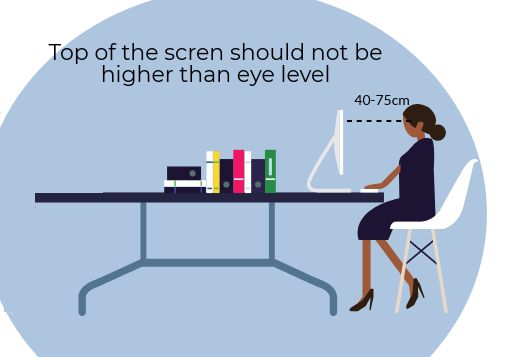
Consider carefully whether you should use a laptop or a desktop for your daily work. For a number of people laptops are more convenient, however laptop users are more prone to computer eye strain than PC owners. This is because with laptops it’s much more challenging to adjust the screen properly. Ideally, you should sit between 40-75 cm from the screen to minimize the effects of CVS. Remember that the top of the monitor should never be higher that your eye level.